


Download All The Right Type – Fun Typing Tutor for Windows, Mac, iOS & Android
Overview
All The Right Type 3 Plus is a modern typing tutor that blends classroom‑tested teaching methods with a playful, space‑age visual theme. Designed for students, teachers, and anyone who spends countless hours in front of a keyboard, the program teaches realistic posture, finger placement, and keyboard shortcuts while keeping learners engaged through colorful graphics and instant feedback. The developers claim that the software is already in use across dozens of U.S. classrooms because it automates grading, monitors progress, and even prints certificates when milestones are reached.
While the graphics are intentionally simple, the core mission is clear: make touch‑typing a habit that feels as enjoyable as playing a game. Whether you’re a beginner who can’t find the “F” key without looking, or an advanced user looking to increase words‑per‑minute (WPM) scores, All The Right Type adapts to your pace, offering drills, timed tests, and custom lessons that align with real‑world typing demands. Teachers appreciate the hands‑off monitoring system, which frees them to focus on other instructional tasks while the software tracks accuracy, speed, and improvement trends.
In short, All The Right Type delivers a secure, free‑to‑try experience that can be downloaded on multiple platforms, making it an ideal tool for both classroom environments and home learning.
Key Features & Educational Benefits
- Space‑age campus interface that turns lessons into an adventure.
- Step‑by‑step instruction on posture, finger positioning, and ergonomic typing.
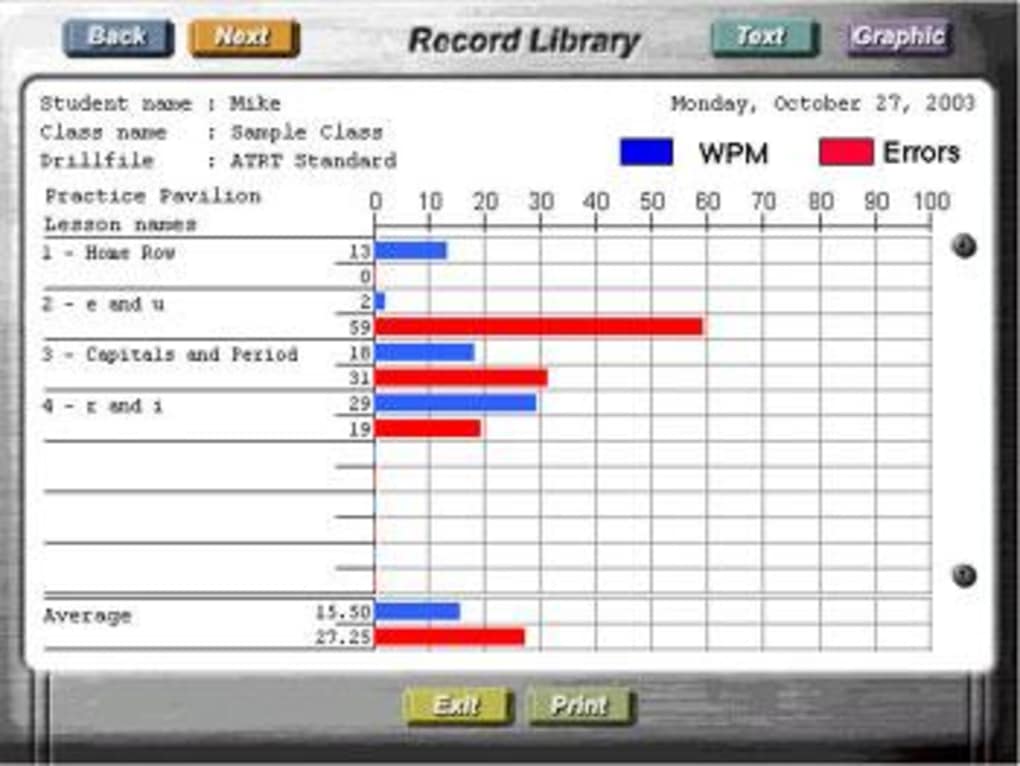
- Automated grading system that records accuracy, speed, and error patterns.
- Customizable lesson plans for different skill levels and curricula.
- Certificate generation and printable awards for student milestones.
- Real‑time visual and auditory feedback for each keystroke.
- Progress dashboards that let teachers monitor class performance without constant supervision.
- Multi‑language support for international classrooms.
- Compatibility with Windows, macOS, iOS, and Android devices.
- Free trial version with optional upgrade for advanced analytics.
The educational benefits of All The Right Type extend far beyond raw typing speed. By emphasizing proper posture and finger mechanics, the program reduces the risk of repetitive strain injuries—a common concern for students and professionals alike. The built‑in shortcut lessons accelerate productivity by teaching commonly used key combinations, which can shave seconds off daily tasks.
Because the software grades automatically, teachers can identify struggling students early and provide targeted interventions, fostering a growth mindset. The certificate feature adds a gamified element, encouraging learners to set goals and celebrate achievements, which research shows improves retention and motivation. Moreover, the multi‑platform design ensures that students can practice on school computers, personal laptops, tablets, or even smartphones, keeping the learning experience consistent across devices.
Whether used as a supplementary classroom tool or a self‑paced home study app, All The Right Type offers a balanced blend of fun and rigor that aligns with modern educational standards.
Installation, Usage & Compatibility
Downloading and Installing
To begin, visit the official All The Right Type website and click the “Download Free Trial” button. The installer is available for Windows (.exe) and macOS (.dmg). For mobile users, the app can be found in the Apple App Store or Google Play Store under the name “All The Right Type 3 Plus.” After downloading, run the installer and follow the on‑screen prompts: accept the license agreement, choose an installation folder, and click “Install.” The process typically takes under five minutes on most modern systems. Once installed, launch the program from the desktop shortcut or the applications folder. The first launch triggers a brief tutorial that walks new users through the interface, explains how to set up a student profile, and demonstrates basic navigation.
Getting Started with Lessons
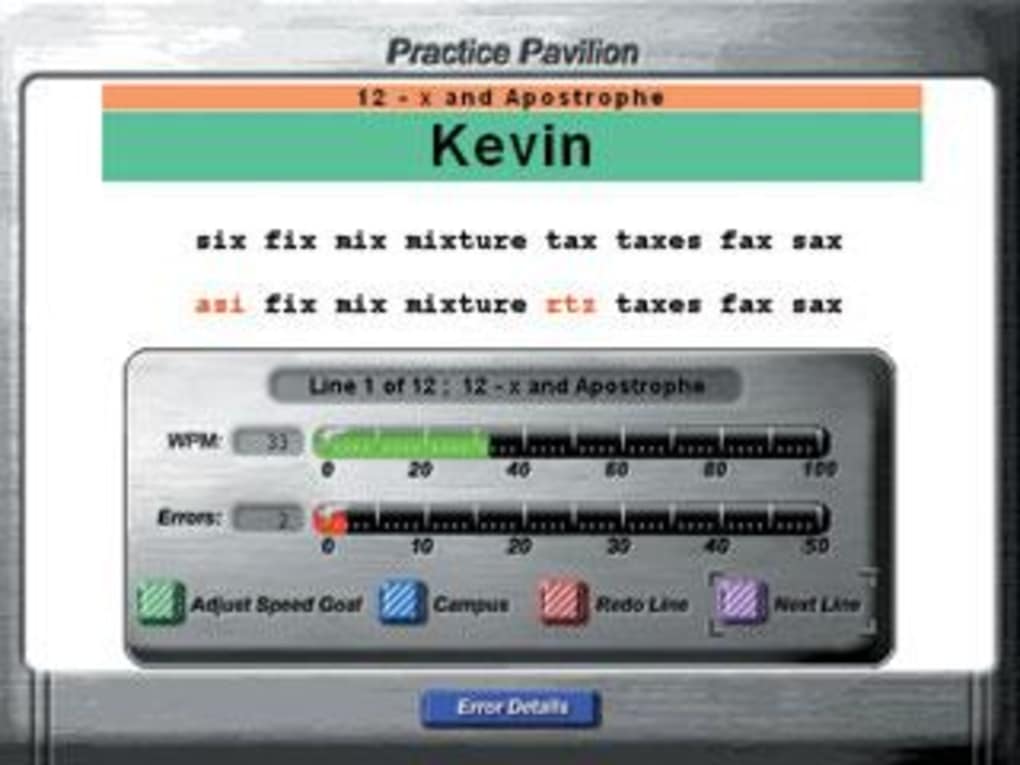
After the tutorial, users can select a learning path based on their current skill level. Beginners start with “Home Row Basics,” while intermediate learners can jump to “Speed Drills” or “Shortcut Mastery.” Each lesson includes a visual keyboard overlay that highlights the correct fingers for each key press. Real‑time feedback appears in the lower panel, showing accuracy percentages and WPM. Teachers can create classroom groups, assign specific lessons, and set time limits for each session. Progress is saved automatically to the cloud, allowing students to resume where they left off on any device.
System Requirements
Windows: Windows 10 or later, 2 GB RAM, 200 MB free disk space.
macOS: macOS 10.14 (Mojave) or later, 2 GB RAM, 200 MB free disk space.
iOS: iOS 13 or later, compatible iPhone or iPad.
Android: Android 8.0 (Oreo) or later, 1 GB RAM, 150 MB free storage.
The application runs smoothly on most modern hardware and does not require an internet connection for offline practice, though an online account is needed for cloud syncing and certificate printing.
Pros, Cons & Frequently Asked Questions
Pros
- Engaging, game‑like environment keeps learners motivated.
- Comprehensive curriculum covers posture, speed, and shortcuts.
- Automatic grading and progress tracking reduce teacher workload.
- Multi‑platform support enables seamless practice across devices.
- Free trial with optional paid upgrade for advanced analytics.
Cons
- Graphics are intentionally simple and may feel dated to some users.
- Advanced features (detailed analytics, custom branding) require a paid license.
- No built‑in multiplayer competition mode.
- Initial setup can be a bit overwhelming for very young learners.
- Certificate printing requires a connected printer or manual export.
FAQ
Is All The Right Type suitable for absolute beginners?
Yes. The software starts with a “Home Row Basics” module that teaches finger placement and posture before moving on to speed drills.
Can teachers monitor individual student progress?
Absolutely. Teachers can create classroom groups, assign lessons, and view detailed dashboards that show each student’s accuracy, WPM, and improvement trends.
Do I need an internet connection to use the app?
An internet connection is only required for cloud syncing and certificate printing. All lessons can be completed offline once the software is installed.
Is there a mobile version for iPad or Android tablets?
Yes. The app is available on both the Apple App Store and Google Play Store, optimized for touch interaction and stylus support.
What is the cost after the free trial expires?
A single‑user license costs $29.99 per year, which includes unlimited lesson access, cloud backup, and certificate printing. Educational institutions can purchase bulk licenses at a discounted rate.
Conclusion & Call to Action
All The Right Type 3 Plus stands out as a well‑balanced typing tutor that merges proven instructional techniques with a lighthearted, futuristic theme. Its automatic grading, progress dashboards, and certificate generation make it a time‑saving asset for teachers, while the engaging lessons keep students motivated to improve their speed and accuracy. Although the graphics are modest, the core functionality delivers real educational value, especially for classrooms seeking a secure, cross‑platform solution. If you’re looking to boost typing proficiency without sacrificing fun, downloading the free trial today is the best first step. After evaluating the features, you’ll likely find the paid version a worthwhile investment for long‑term skill development.
Download All The Right Type now and start turning keyboard practice into an adventure that your students will love and your classroom will thank you for.
Pros: Engaging UI, comprehensive curriculum, automatic grading, multi‑platform support.
Cons: Simple graphics, premium features locked behind a paywall.







